

AI FileMaker Lexicon: Essential Glossary for FileMaker Users
Table of Contents
There’s a lot to learn about AI in FileMaker, and the terminology can feel overwhelming. This glossary is designed to give you clear, practical definitions of the terms you’ll encounter as you explore AI features in FileMaker 2025 and beyond.
Bookmark this page. Come back to it whenever you hit a term that doesn’t click. That’s what it’s here for.
A
AI Model
A system trained to recognize patterns in data so it can make decisions, predictions, or create new content. In FileMaker 2025, models are integrated through the Configure AI Account and AI model setup features. Think of it as the “brain” behind AI functionality.
AI Model Account
The connection configuration in FileMaker that links to an external AI provider (like OpenAI, Anthropic, or a custom endpoint). You set this up using the Configure AI Account script step, which stores the API key and endpoint information.
Algorithm
A set of step-by-step instructions that tells a computer how to solve a problem or complete a task. AI models are built on algorithms, but the terms aren’t interchangeable — an algorithm is the recipe, the model is what you get after cooking.
API (Application Programming Interface)
A set of rules that allows different software applications to communicate with each other. In FileMaker, you use APIs to connect to AI services like OpenAI, Claude, or custom model endpoints. The Insert from URL script step is one way FileMaker communicates with external APIs.
B
Bias (in AI)
When an AI system produces unfair or skewed results because of problems in its training data or design. For example, if a model was trained mostly on English text, it may perform poorly on other languages. Recognizing and mitigating bias is a core principle of responsible AI.
Black Box
An AI system whose internal workings are not transparent or easily understood. You can see what goes in and what comes out, but not how decisions are made. This is why explainability and transparency are important in responsible AI adoption.
C
Classification
The process of assigning a category or label to a piece of data. AI models can classify text (e.g., “is this email spam?”), images (e.g., “is this a cat or a dog?”), or records (e.g., “is this invoice high-priority?”).
Container Field
A FileMaker field type that stores files — documents, images, PDFs, audio, and video. In the context of AI, container fields are important because they hold the images and PDFs that AI features process (e.g., GetTextFromPDF(), semantic image search).
Context Window
The maximum amount of text an AI model can process at one time. Think of it as the model’s short-term memory. If your prompt plus the expected response exceeds the context window, the model may truncate or lose information.
D
Data Pipeline
The series of steps data goes through from collection to storage to processing. In AI workflows, the data pipeline includes how information moves from FileMaker fields to AI models and back. Responsible AI means understanding and documenting each step.
Deep Learning
A subset of machine learning that uses neural networks with many layers (hence “deep”) to learn complex patterns. Most modern AI models — including the ones you’d connect to FileMaker — use deep learning architectures.
E
Embedding
A numerical representation of text or images that captures their meaning in a form AI can process. In FileMaker 2025, you generate embeddings using the Configure AI Model setup and store them in fields for semantic search. Two pieces of text with similar meanings will have similar embeddings, even if they use different words.
Endpoint
The URL where an AI service receives requests. When you configure an AI account in FileMaker, you provide an endpoint URL that tells FileMaker where to send data for processing.
Epoch
One complete pass through the training data during model training. Not something you’ll configure in FileMaker directly, but useful to understand when evaluating model quality — more epochs can mean better learning, but also risks overfitting.
F
Few-Shot Learning
Teaching an AI model to perform a task by providing a small number of examples in the prompt. Instead of fine-tuning the model itself, you include 2-5 examples of the desired input/output format. This is practical in FileMaker when crafting prompts for text generation.
Fine-Tuning
The process of training a pre-existing AI model on your specific data to improve its performance for your use case. This is more advanced than prompt engineering and typically requires working with the model provider’s API.
G
Generative AI
AI that creates new content — text, images, code, music — rather than just analyzing or classifying existing data. ChatGPT, Claude, and DALL-E are generative AI models. In FileMaker, generative AI is used through text generation model configurations.
Grounding
Connecting AI responses to specific, verified data sources rather than relying solely on the model’s training data. RAG (Retrieval Augmented Generation) is a grounding technique — it gives the AI your actual data to work with, reducing hallucinations.
Guardrails
Constraints and rules placed around AI systems to keep them operating within safe, intended boundaries. This includes input validation, output filtering, usage limits, and human-in-the-loop checkpoints. Essential for responsible AI deployment.
H
Hallucination
When an AI model generates information that sounds plausible but is factually incorrect or completely fabricated. This is one of the most significant risks in AI deployment. Always verify AI outputs, especially for customer-facing or decision-critical content.
Human-in-the-Loop (HITL)
A system design where humans review, approve, or correct AI outputs before they’re used. This is a foundational principle of responsible AI — keeping humans involved in decisions that matter.
I
Inference
The process of an AI model generating outputs (predictions, text, classifications) from new input data. When you ask an AI model a question or send it data to process, you’re running inference. This is what happens when you call an AI model from FileMaker.
J
JSON (JavaScript Object Notation)
A lightweight data format used to structure information for APIs. When FileMaker communicates with AI services, requests and responses are typically formatted in JSON. Understanding basic JSON structure is essential for AI integration in FileMaker.
L
Large Language Model (LLM)
A type of AI model trained on massive amounts of text data that can understand and generate human-like text. GPT-4, Claude, and Llama are LLMs. In FileMaker 2025, you connect to LLMs through the text generation model configuration.
Latency
The delay between sending a request to an AI model and receiving a response. Important for user experience in FileMaker — if AI processing takes too long, it impacts workflow. Server-side scripts can help manage latency for heavy operations.
M
Machine Learning (ML)
A subset of AI where systems learn from data rather than being explicitly programmed. Instead of writing rules, you provide examples and the system figures out patterns. Most AI features in FileMaker rely on machine learning models.
Model Drift
When an AI model’s performance degrades over time because the data it encounters in production differs from its training data. Important for long-term monitoring of AI features in your FileMaker solution.
Multi-Modal
AI that can process and understand multiple types of data — text, images, audio, video. FileMaker 2025 supports multi-modal embeddings that work with both text and images, enabling cross-modal search (searching for images using text).
N
Natural Language Processing (NLP)
The branch of AI focused on understanding and generating human language. Semantic search, text generation, and language translation are all NLP tasks. FileMaker 2025’s natural language query features use NLP.
Neural Network
A computing architecture inspired by the human brain, consisting of interconnected nodes (neurons) organized in layers. Neural networks are the foundation of modern AI models, including the ones you’ll use in FileMaker.
O
Overfitting
When a model learns its training data too well, including noise and outliers, and performs poorly on new data. Like studying only the practice exam and struggling on the real one. Understanding this helps evaluate model quality.
P
Prompt
The text input you provide to an AI model to get a response. In FileMaker, prompts are what you send to text generation models. Prompt quality directly affects output quality — this is why prompt engineering is a real skill.
Prompt Engineering
The practice of designing and refining prompts to get better results from AI models. This includes structuring instructions, providing context, specifying output format, and including examples. A practical, everyday skill for FileMaker developers using AI.
Prompt Injection
A security risk where malicious input manipulates an AI model into ignoring its instructions or performing unintended actions. Important to guard against in FileMaker solutions where users can influence prompts.
R
RAG (Retrieval Augmented Generation)
A technique that improves AI responses by first retrieving relevant information from your data, then using that information as context for the AI model’s response. FileMaker 2025 supports RAG workflows, grounding AI responses in your actual business data.
Random Forest Regressor
A prediction model that combines many decision trees to make numerical predictions. Currently the only regression model type supported natively in FileMaker 2025. Useful for forecasting and estimation tasks.
Regression
A type of machine learning that predicts numerical values (like “what will next month’s revenue be?”) rather than categories. FileMaker 2025 supports regression through the Random Forest Regressor model type.
S
Semantic Search
Search that understands the meaning behind a query, not just keyword matching. If you search for “happy customers,” semantic search also finds records about “satisfied clients” because the meanings are similar. Powered by embeddings in FileMaker 2025.
Sentence Transformer
A type of model that converts text into embeddings (vector representations). These models power semantic search in FileMaker 2025 by enabling the system to understand text meaning rather than just matching keywords.
T
Temperature
A parameter that controls how creative or random an AI model’s responses are. Low temperature (0.0-0.3) produces more focused, deterministic outputs. High temperature (0.7-1.0) produces more varied, creative outputs. Configurable when calling text generation models.
Token
The basic unit of text that AI models process. A token is roughly 3/4 of a word in English. Understanding tokens helps you manage API costs and context window limits when integrating AI into FileMaker.
Training Data
The dataset used to teach an AI model. The quality, diversity, and representativeness of training data directly affect model behavior. Understanding what a model was trained on helps you assess its strengths and limitations.
Transfer Learning
Using a model trained on one task as the starting point for a different but related task. Most AI features in FileMaker leverage transfer learning — you start with a pre-trained model and apply it to your specific data.
V
Vector
A list of numbers that represents data in a format AI can process. Text embeddings are vectors. Images can be converted to vectors. FileMaker 2025 stores and compares vectors to enable semantic search and similarity matching.
Vector Database
A system optimized for storing and searching vector embeddings. While FileMaker isn’t a dedicated vector database, FileMaker 2025 includes native vector storage and search capabilities for AI features.
Z
Zero-Shot Learning
When an AI model performs a task without any specific examples — relying entirely on its pre-training. For example, asking an LLM to classify a document into categories it’s never seen before. Understanding zero-shot vs. few-shot helps you design better prompts.
This glossary will continue to evolve as FileMaker’s AI capabilities expand. If there’s a term you’d like added, let us know.
How AI Was Used in This Post
AI assisted with research, drafting, and organizing definitions. All terms were reviewed and verified against FileMaker 2025 documentation and industry-standard AI terminology.
Frequently Asked Questions
An algorithm is a set of step-by-step instructions for solving a problem -- it is the recipe. An AI model is what you get after training an algorithm on data -- it is the finished product that can make predictions or generate content. In FileMaker 2025, you work with pre-trained models through the AI account and model configuration.
Embeddings are numerical representations of text or images that capture their meaning in a form AI can process. FileMaker 2025 uses embeddings to power semantic search -- finding records by meaning rather than exact keyword matches. Two pieces of text with similar meanings will have similar embeddings, even if they use different words.
RAG (Retrieval Augmented Generation) is a technique that improves AI responses by first retrieving relevant information from your data, then using that information as context for the AI model's response. FileMaker 2025 supports RAG workflows, grounding AI responses in your actual business data rather than relying solely on the model's training.
Prompt injection is a security risk where malicious input manipulates an AI model into ignoring its instructions or performing unintended actions. If your FileMaker solution allows users to influence prompts sent to AI models, you should validate and sanitize that input, just like you would with any user-supplied data.
Is your team ready for AI in FileMaker?
Our free AI Readiness Guide walks you through the key questions to answer before your first AI project.
Get the AI Readiness GuideExplore Related Services
Related Posts

Responsible AI Use in FileMaker 2025
Explore how FileMaker 2025 puts AI front and center, and why understanding it is more important than ever. AI literacy and responsible implementation practices for FileMaker developers.
Read article →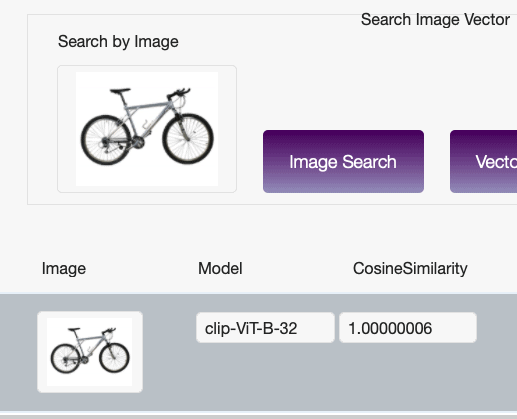
AI-Powered Image Recognition in FileMaker (Part 1 of 2)
Integrating AI-powered image recognition into FileMaker unlocks entirely new ways to interact with your data. Learn how to set up embedding models for semantic image search.
Read article →
How to Use GetTextFromPDF() in FileMaker 2025
Learn how FileMaker 2025's GetTextFromPDF() extracts text from PDFs for smarter, searchable, AI-powered apps.
Read article →