

Responsible AI Use in FileMaker 2025
Table of Contents
Responsible AI use starts with AI literacy — making an effort to understand how AI systems work. That’s why I’m kicking off this series of posts on AI in FileMaker alongside the release of FileMaker 2025.
This release marks a significant point in the platform’s 40-year history. AI features are making their way squarely into the middle of the product, and my goal is to help you navigate the latest features, understand responsible AI adoption, and keep the human element at every step along the way.
As we go through this series, I’ll keep these two ideas at the front:
- How do I keep the human element central in this process?
- What does responsible AI mean for FileMaker 2025?
Key Highlights of FileMaker 2025
The 2025 release is perhaps the largest in FileMaker’s history, introducing features such as RAG, semantic image search, natural language search, text extraction from PDFs, and performance enhancements.
With great power comes great responsibility. And that means taking the time to understand these powerful features in order to implement them in a way that helps your business thrive.
Getting Started with AI in FileMaker
The best place to start with grasping how you will use AI in FileMaker is the AI model.
What Is an AI Model?
An AI model is a system trained to recognize patterns in data so it can make decisions, predictions, or create new content. These models are the backbone of AI systems, enabling them to process information and deliver outputs based on learned patterns.
There are many types of AI models, each built for a specific purpose. Decision trees help answer simple yes/no questions. Neural networks are used for tasks like facial recognition or translating languages. Generative models, like GPT, can write stories or draw original pictures. Knowing what kind of model you’re working with helps you build better, more responsible AI.
AI Models Supported in FileMaker 2025
This section outlines the four core types of AI models supported in FileMaker 2025, including how they work, what they’re used for, and key considerations for responsible implementation.
1. Sentence Transformers (Text Embedding Models)
These models power advanced semantic search and text similarity features by converting text into vector embeddings — numeric representations that capture the meaning of words and phrases in a multidimensional space.
Examples of use:
- Semantic Search: Find documents or records that are conceptually similar to a user’s query — even without shared keywords
- Text Similarity: Detect duplicates, group similar entries, or classify content based on meaning
Responsible use: Always normalize embeddings and ensure they’re generated from the same model. The resulting vectors are essentially a black box — they can be difficult to interpret or validate directly. Incorporate validation strategies such as sanity checks, benchmark comparisons, and cross-model consistency checks.
2. Multi-Modal Embedding Models (Text + Image)
These models extend embeddings to both text and images, enabling FileMaker to bridge language and visuals — like searching for an image using a sentence or identifying similar images from a visual sample.
Examples of use:
- Semantic Image Search: Search for images using text prompts or find similar images based on appearance
- Digital Asset Management: Organize and retrieve images using both visual content and associated text metadata
Responsible use: The same principles apply as with text embeddings. It’s essential to evaluate accuracy and quality through careful testing. Responsible use depends on a rigorous and well-documented creation process.
3. Text Generation Models
Text generation models produce relevant, human-like responses based on written prompts. These capabilities are ideal for drafting content, summarizing information, answering questions, and powering conversational interfaces.
Examples of use:
- Natural Language Queries: Perform SQL or FileMaker finds using plain English
- Content Creation: Draft templates, support messages, product descriptions, or reports
- Research & Analysis: Summarize source material, spot trends, and synthesize information
- Coding Assistance: Generate or debug code snippets, or write SQL and Python scripts
Responsible use: Text generation can introduce risks such as hallucinated facts, inappropriate content, and legal concerns related to privacy, plagiarism, or misinformation. Keep a human-in-the-loop. Document prompt templates and apply output validation workflows.
4. Prediction Models (Regression Models)
FileMaker 2025 introduces support for prediction models that can forecast numerical values based on structured data. Currently, the only supported regression model is the Random Forest Regressor.
Examples of use:
- Financial Forecasting: Predict outcomes based on reports or sentiment data
- Customer Insights: Estimate churn or purchase likelihood from user feedback
- Predictive Maintenance: Anticipate failures based on logs and sensor data
Responsible use: Predictive accuracy depends heavily on data quality and representativeness. These systems can produce false-positives and false-negatives with significant consequences. Build reliable validation and establish human oversight.
What Responsible AI Means for FileMaker 2025
At Violet Beacon, we prioritize responsible AI, and deploying this in FileMaker is no exception. We believe it is vital to approach any AI project with thoughtful analysis and planning — ensuring that AI technologies are designed and applied in ways that prioritize fairness, transparency, privacy, and human oversight.
To a degree, making responsible decisions about AI should feel familiar. We’ve been making thoughtful choices about technology for years, like selecting trusted providers for email, storage, or communication. Even though AI introduces new dimensions — such as bias, transparency, and automation at scale — the core decision-making process isn’t entirely new.
What’s different is the impact. With AI, choices about how we build, use, and disclose tools can affect not just productivity — but trust, reputation, and human well-being.
| Area | Why It Matters |
|---|---|
| AI Governance & Oversight | Ensures responsible, standardized and compliant AI deployment |
| Human Oversight & Guardrails | Maintains trust and safety, prevents edge-case failures |
| Data Quality & Bias | Prevents unfair outcomes, improves AI reliability |
| Privacy & Security | Protects user data, aligns with regulations |
| Transparency & Documentation | Builds trust, supports user understanding |
| Continuous Education | Empowers users, supports responsible adoption |
Final Thoughts
The introduction of AI in FileMaker 2025 brings powerful new tools and a meaningful responsibility to use them well. If you’re feeling both intrigued and a little uncertain, you’re in good company. Responsible AI adoption begins with curiosity, thoughtful questions, and a commitment to keeping people at the center of every decision.
This series is here to support that process. Rather than covering everything at once, we’ll move gradually — building understanding, exploring practical use cases, and highlighting how to apply these tools with clarity and care.
Until next time… How are you approaching responsible AI in FileMaker?
How AI Was Used in This Post
AI assisted with topic brainstorming, research, drafting, and proofreading. The header image was generated using ChatGPT. All contributions were reviewed to ensure a human-centered tone.
Frequently Asked Questions
FileMaker 2025 supports four AI model types: sentence transformers (text embeddings for semantic search), multi-modal embedding models (text and image embeddings), text generation models (for content creation, summarization, and natural language queries), and prediction models (Random Forest Regressor for forecasting).
No, but AI literacy helps. Understanding the basics of how models work, what embeddings are, and where AI outputs need human review will help you implement features responsibly. That is the goal of this blog series.
It means approaching AI implementation with attention to fairness, transparency, privacy, and human oversight. Practically, this includes documenting your AI pipelines, validating model outputs, protecting user data, and keeping a human-in-the-loop for decisions that matter.
It depends on the model. Some features like GetTextFromPDF() run locally. Others, like text generation or embedding models, connect to external AI providers through API endpoints that you configure. Understanding where your data goes is a key part of responsible implementation.
Is your team ready for AI in FileMaker?
Our free AI Readiness Guide walks you through the key questions to answer before your first AI project.
Get the AI Readiness GuideExplore Related Services
Related Posts

AI FileMaker Lexicon: Essential Glossary for FileMaker Users
Clear definitions of the AI and FileMaker terms your team will encounter when building AI-powered solutions.
Read article →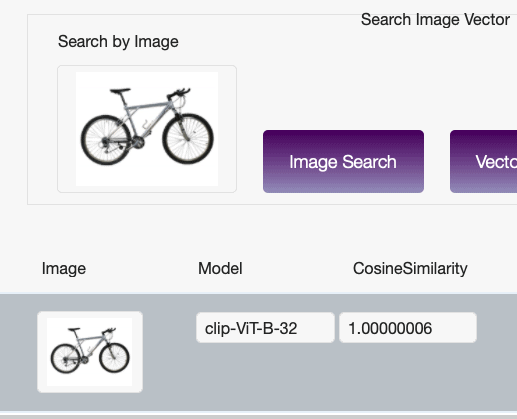
AI-Powered Image Recognition in FileMaker (Part 1 of 2)
Integrating AI-powered image recognition into FileMaker unlocks entirely new ways to interact with your data. Learn how to set up embedding models for semantic image search.
Read article →
How to Use GetTextFromPDF() in FileMaker 2025
Learn how FileMaker 2025's GetTextFromPDF() extracts text from PDFs for smarter, searchable, AI-powered apps.
Read article →